

Account Setup
Register
On the login screen, click Create account. Enter your email address and choose a password, then click Sign Up.
Check your inbox for a confirmation email and click the verification link. You must verify your email before logging in.
Log In
Enter your email and password on the login screen, then click Sign In.
If you forgot your password, click Forgot password to receive a reset link by email.
Subscription & License
Raita requires an active subscription or token balance to generate articles.
To purchase or manage your subscription:
- Go to the Raita member area and log in
- Choose a plan and complete checkout
- Once purchased, your subscription will be automatically activated in the app
To check your plan status in the app:
- Go to Settings → License
- Your current plan and expiry date are shown here
Token Wallet
If you're using Raita's managed AI (instead of your own API keys), article generation is billed in Raita tokens.
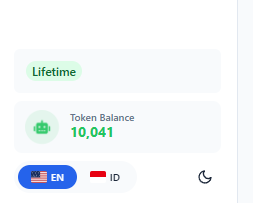
Your token balance is shown in the sidebar. To top up:
- Click the token balance badge in the sidebar
- Choose a token package and complete payment
See Token Wallet & Billing Reference for pricing details.