

Blaze Mode
Blaze mode assembles an article through multiple sequential AI calls: generate title → generate outline → generate section bodies → optionally add meta/opening/closing → inject internal links → concatenate.
Best for:
- Long-form, structured articles (2,000+ words)
- When you want granular control over each stage of generation
- Building content with consistent heading structure
Starter Templates
Raita ships with ready-to-use Blaze templates so you can start generating immediately:
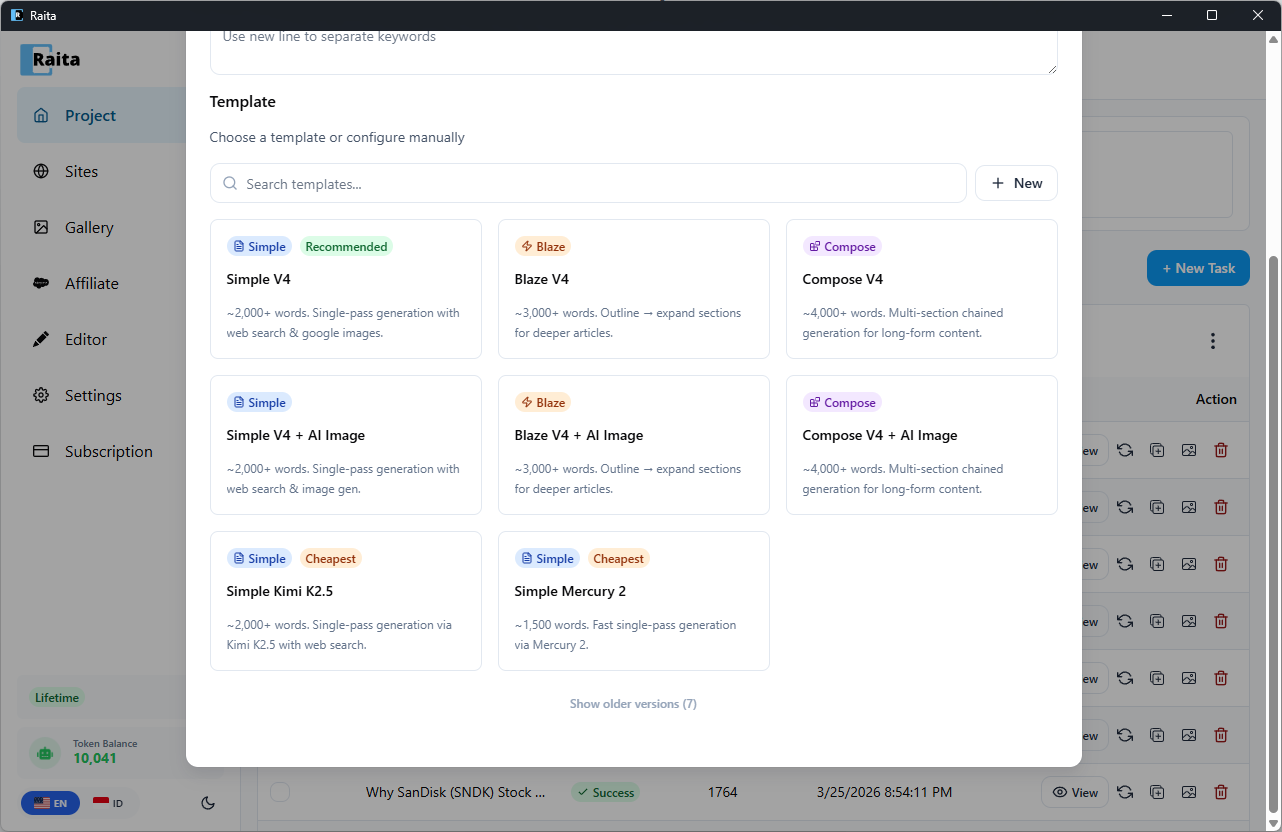
| Template | Description |
|---|---|
| Blaze V4 | ~3,000+ words. Outline → expand sections for deeper articles. |
| Blaze V4 + AI Image | ~3,000+ words. Outline → expand sections with AI image generation. |
To use a starter template, click + New Task, then select a template from the template picker. All prompt stages (title, outline, detail, etc.) are pre-configured — just enter your keywords and generate.
Configuration
In the New Task form, select the Blaze tab.
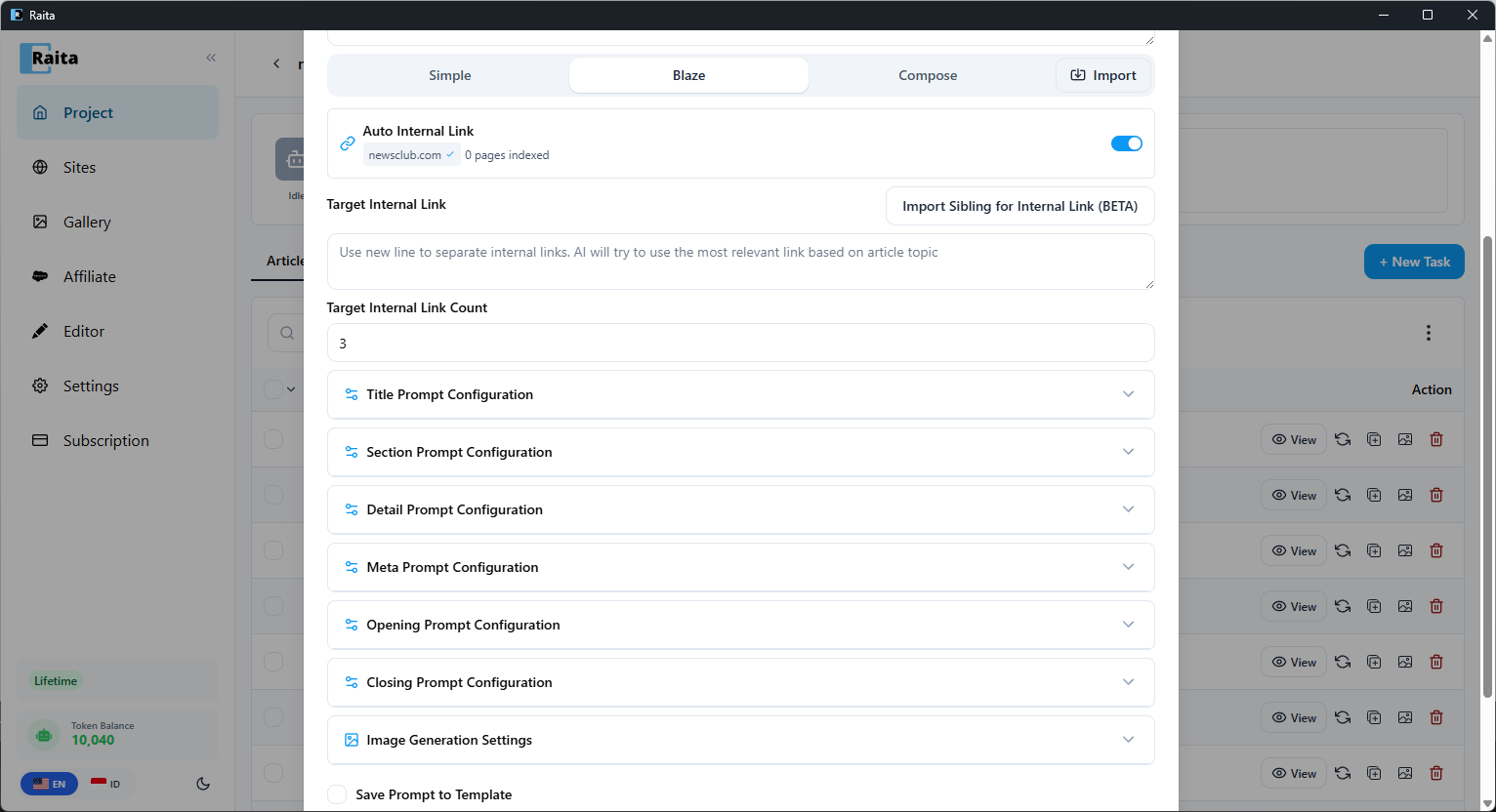
Required Fields
Title Prompt
Generates the article title. Receives {topic}, {niche}, {language}.
Example:
Write one compelling, SEO-friendly article title for a post about {topic}.
Target audience: {niche}. Language: {language}.
Return only the title, no quotes or explanation.
LSI / Section Prompt
Generates the outline — a list of section headings. The output of this prompt becomes {lsi} and {outline} for later stages.
Example:
Generate a list of 5-7 section headings for an article titled "{title}" about {topic}.
Return one heading per line. No numbering, no explanation.
Detail Prompt
Generates the body of each section. Called once per section. Receives {title}, {section}, {lsi}, {outline}, {topic}, {index}.
Example:
Write the full content for the section "{section}" in an article about {topic}.
Article title: {title}
Full outline: {outline}
Write in HTML with h3 subheadings and paragraphs. 300-500 words.
Optional Fields
Meta Prompt
Generates an HTML <meta> description. Receives {title}, {topic}.
Opening Prompt
Generates an introductory paragraph inserted before the first section.
Closing Prompt
Generates a conclusion paragraph appended after the last section.
Internal Link Prompt
Generates internal links to insert into the article. Works together with Internal Link Target (the URL of your site's sitemap or page list).
See Using Internal Links for setup details.
Execution Order
Blaze runs stages in this order:
- Generate title
- Generate outline (LSI section list)
- Generate internal links (if configured)
- Generate meta / opening / closing (in parallel)
- Generate each section body (using
{section}from the outline) - Inject internal links into selected sections
- Concatenate: opening + sections + closing (meta description is stored as a separate field, not part of the body)
The final article is assembled from all these pieces.
Available Variables by Stage
| Stage | Variables available |
|---|---|
| Title | {topic}, {keyword}, {niche}, {language} |
| LSI/Outline | {title}, {topic}, {keyword}, {niche}, {language} |
| Detail | {title}, {section}, {lsi}, {outline}, {topic}, {keyword}, {niche}, {language}, {index}, {subtopic}, {item} |
| Meta/Opening/Closing | {title}, {topic}, {keyword}, {niche}, {language} |
| Internal Links | {topic}, {keyword}, {title}, {niche}, {language}, {internal_links} |
See Prompt Variables Reference for the full list.